After creating a classroom, there are 2 ways you can add your students:
Option 1 (Recommended): Classroom Link
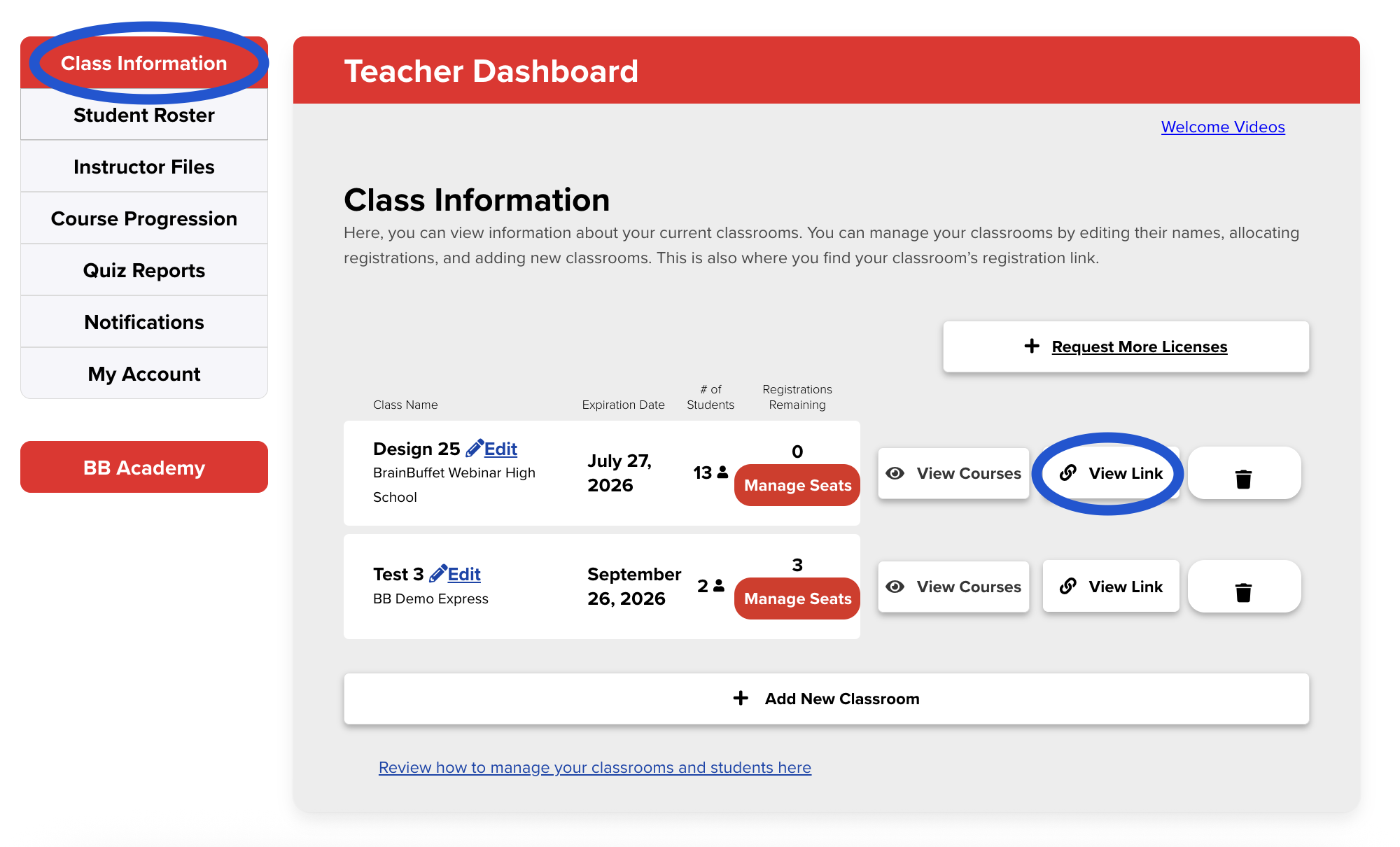
Go to My Class (top menu), then select Class Information (left-hand menu).
Click View Link to copy your classroom link.
Share this link with your students.
Students who already have a BrainBuffet account will be able to join your class directly.
Students who do not yet have a BrainBuffet account will be prompted to create one first, and then they can join the class.
Option 2: Student Roster
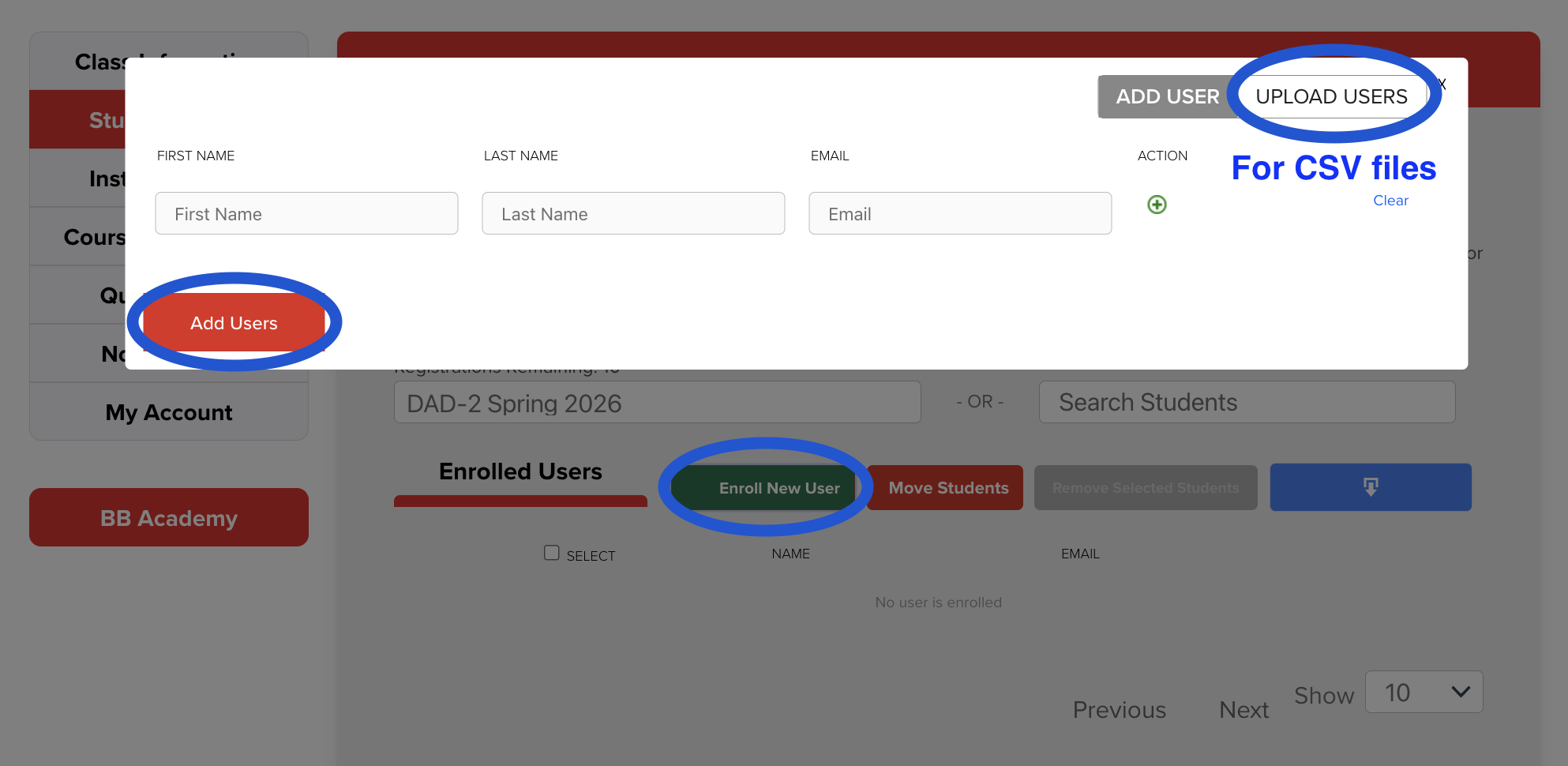
Go to My Class (top menu), then select Student Roster (left-hand menu).
Select Enroll New User.
Upload a CSV File (Recommended for Multiple Students)
Download the sample CSV file provided on the page.
Use it as a template and fill in the following required fields for each student:
First Name
Last Name
Email
6. Upload the completed CSV file to enroll all students at once.
Or you can manually Add Students one at a time by clicking on Enroll new user and adding the necessary information.
Important Note
This enrollment method requires students to receive emails from BrainBuffet.
Please ensure that student email addresses are correct and that BrainBuffet emails are not blocked or filtered.