
There is a way to move all the classroom students from the Student Enrollment section of the My Class page, you can select the classroom with the students in it, then click "Export Roster".
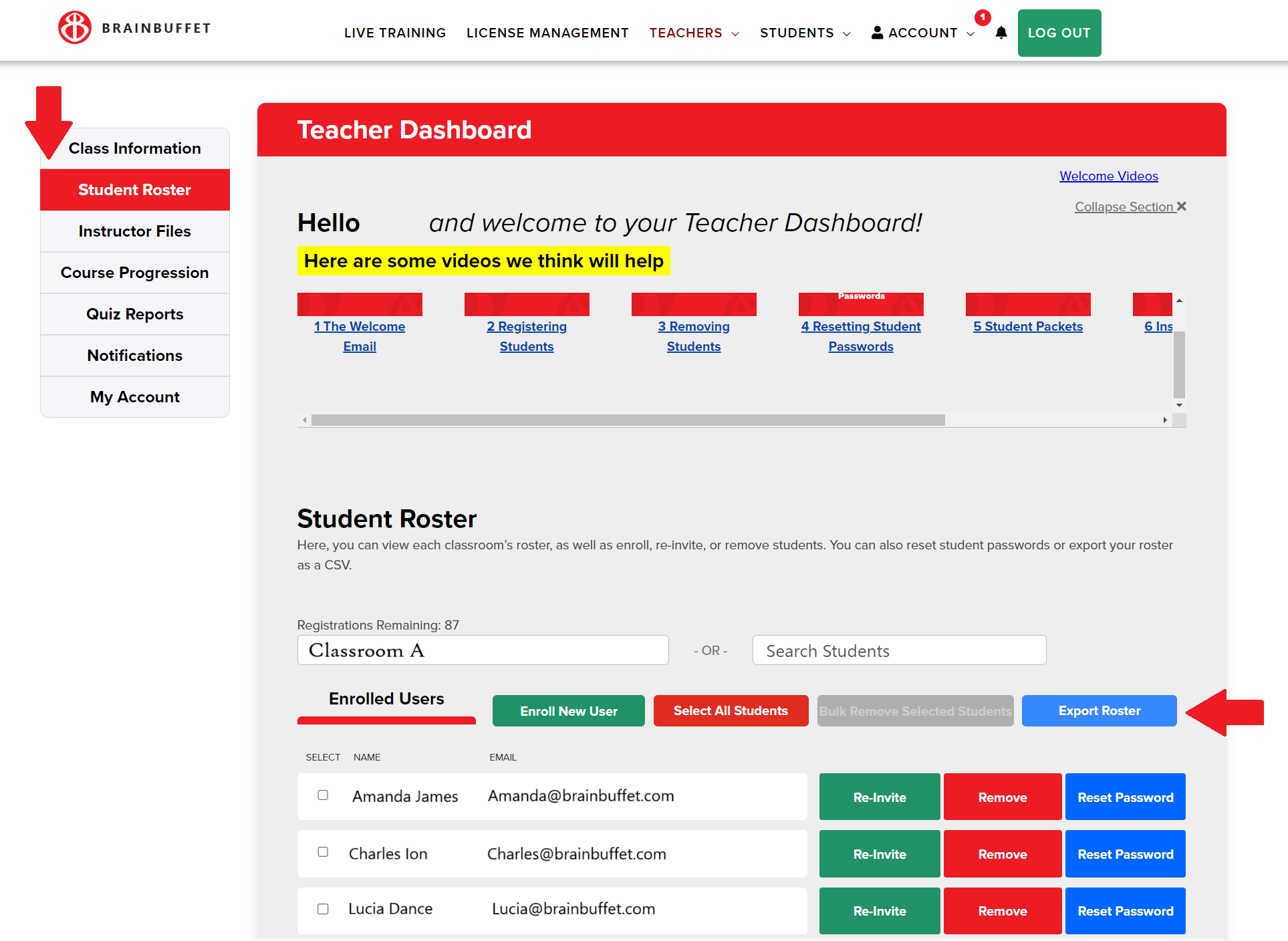
Then, you can swap to the other classroom using the dropdown and select Enroll New Student. Then, import the exported CSV file from the other class.
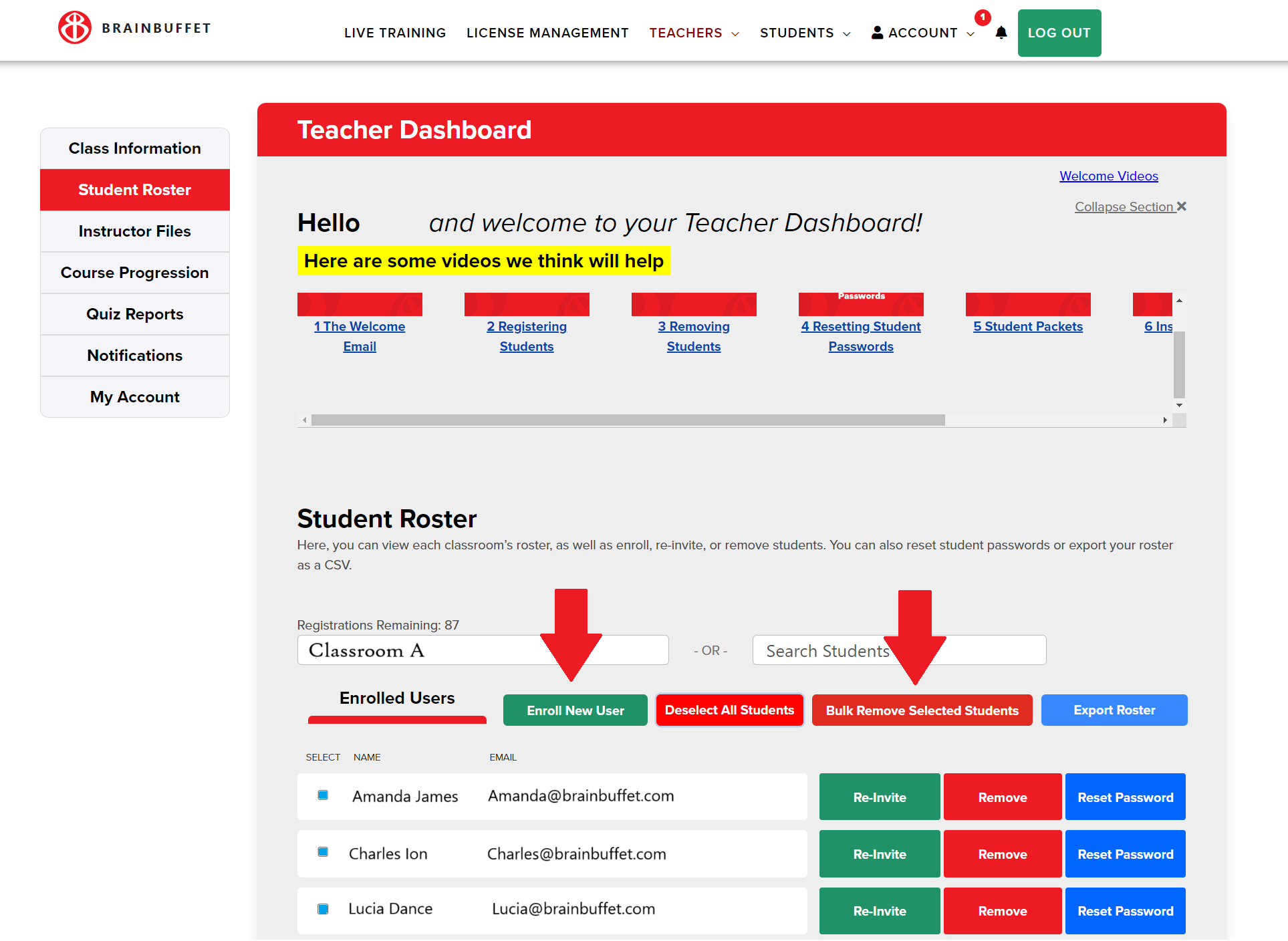
Then, you'll only need to delete the users from the other classroom. You can do this with the "Select all Students" button, then Bulk Remove Selected Students.